Thursday, 27 March 2014
WELCOME MODERATOR!
Welcome to my blog! I hope you find my blog informative and interesting, containing my coursework from B324 and B321. My GCSE film work is centred around the Film Noir and Thriller genre including my near three minute film, 'In Cold Blood'. I worked with three members of my GCSE class: Charlie Myers, George Flack and Thomas Stevens.

Wednesday, 26 March 2014
Tuesday, 25 March 2014
25.03.2014 - CONSTRUCTION: FEEDBACK

I sent my friends and family an email containing my completed movie. I asked for general feedback on my project that I would then use to change any areas of my work or take it as constructive criticism.

25.03.2014 - CONSTRUCTION: UPLOADING ONTO SOCIAL MEDIA
We uploaded our film onto YouTube and Facebook, awaiting feedback from the public!


Friday, 21 March 2014
21.03.2014 - CONSTRUCTION: FEEDBACK
We are nearly at the final stages of finishing our short film, with only the voice over to write and record as well as the ident to add at the begining we should be finished by around Friday next week. After showing 2 teachers (a compact group) our film we got given positive and negative feedback, this included:
Positives
1. Good use of authentic location
2. Liked the aspects of natural light and wind used for example in outside scenes to create a sense of 'realness'.
3. Liked the fast pace music - suitable to the period and genre of the piece - Film Noir/Thriller
4. Suitable timing of around 1.5 minutes including title and ident
5. Liked the sound effect of the gun shot
Negatives & what we will do to make these areas successful
1. The title of 'In Cold Blood' wasn't recognisable - the writing was too thin and you couldnt read the red writing against the red brick wall it was projected on - make it thicker and readable
2. Make title writing showing the directors, production, writers etc on separate slides or only choose one name instead of 4 bunched up together - change the names to one word or co group
Tuesday, 18 March 2014
18.03.2014 - CONSTRUCTION: MAKING FILM TITLE USING VIDEOCOPILOT
 |
| Firstly typing in a word related to ideas for your title - blood or graffiti related to ours |
 |
| After selection of a suitable video we watched 'Graffiti Writing' |
 |
Wednesday, 12 March 2014


Wednesday, 5 March 2014
05.03.2014 - CONSTRUCTION: IDENT

This is a screen shot of our moving picture ident for Odyssey Productions. We got the picture of a bright full moon reflecting on a night sea from the internet and made the title on Adobe After Effects. We chose the features of the ident because:
1. The moon light reflection on the sea conveys a sense of 'vision' and 'light' influencing the feeling of adventure and prosper - the word 'odyssey' means a long wandering and eventful journey.
2. The moon light reflection conveys a path of aspiration and dreaming.
3. The dark sea is mysterious and dark conveying an 'underground world' compared to the white, silvery reflection of aspiration and hope.
4. The title is written like the reflection of the moon - this attaches the picture and title together.
5. The word 'Odyssey' is blurred - looks like the reflection of the moon on the ripples of water
6. We invented an original production company called Odyssey Productions with original design work; our ident of a full moon reflecting on the night sea with the words ‘Odyssey’ together connote a mysterious and dramatic adventure.
Wednesday, 26 February 2014
26.02.2014 - CONSTRUCTION: EDITING
 |
| Me editing shots on iMovie on the Mac |
In todays lesson we continued working on the footage we uploaded. We used a variety of
transitions between shots including:
1. Fade away transitions - when the previous shot fades into the middle of the screen into the next shot
2. Jump transitions - when the previous shot jumps into the next shot without fading or moving to either left or right
3. Blurring transitions - whent he previous shot visibly blurs into the next shot (making the next shot blurred and skewed vision for a second before becoming in focus again)
When editing we realised that there were a lot of shots that we were unable to contemplate using as they were out of focus, the models in view were smiling or not foucussed themselves on film or cars driving through the shot by accident as well as background noise including airplanes, trains, cars beeping or driving past or even talking from the general public.
Things yet to be completed:
1. Adding all of the chosen footage
2. Making the whole film black and white
3. Adding the ident
4. Adding our title (last fading out with blood)
5. Adding each member of the groups name and number at the begining
6. Adding all of the transitions between the shots
7. Adding sound effects - clip clop of heels on concrete, gun shot, gun being reloaded, train departing from the station, grandfather clock ticking
 |
| Editing shots of a parcel being wrapped (chosen to start the film opening creating enigma) |

An example of a shot being out of focus - deleted
Tuesday, 25 February 2014
25.02.2014 - CONSTRUCTION: EDITING
In today's lesson as a group we went through our uploaded footage on the mac. We discussed as a group suitable footage that could be used and how we could amalgamate footage together. For example instead of deleting out of focus footage we could use it as a back drop for our opening title and acknowledgments.
Things we realized we needed to work on when editing footage:
1. Make sure footage is in focus before selecting to use it
2. Make sure we have enough suitable footage to cover a maximum of 3 minutes
3. Make sure we keep all footage to be backed up as evidence of filming
4. We should use our scene selection for help even if we decide to change sections - we must make note and reasons why sections have changed
5. Working together as a group collectively is vital for team success - all settling on suitable footage and agreeing
Sunday, 16 February 2014
16.02.2014 - CONSTRUCTION: CALL SHEET #8
Call Sheet #8 - Wednesday
26th February 2014
|
Film Title – Film Noir Short Film
|
||||
|
Unit
Call Time: 11.00
|
Filming Starts at
|
11.20
|
||
|
Main Crew Contacts
|
Email
|
|||
|
Thomas Stevens
Kate Bradford
George Flack
Charlie Myers
|
01ThomasS@claremont.surrey.sch.uk
01KateB@claremont.surrey.sch.uk
01GeorgeF@claremont.surrey.sch.uk
01CharlieM@claremont.surrey.sch.uk
|
|||
|
Name
|
Prop/Equipment
|
|||
|
Kate Bradford
|
Camera from Media, Tripod, picture of woman
|
|||
|
Charlie Myers
|
Fedora hat, black shoes, black trousers,
dark trench coat, old newspaper
|
|||
|
Thomas Stevens
|
Fedora hat, black shoes, black trousers,
dark trench coat, walking stick/cane
|
|||
|
George Flack
|
Fedora hat, black shoes, black trousers,
dark trench coat, fake cigarettes
|
|||
|
Location
|
|
|
Claremont Fan Court School
Claremont Drive
Esher
Surrey
KT10 9LY
Tel: 01372 467841
Directions: The School’s Claremont Drive entrance
is accessible from the traffic lights on the A244 at the junction with
Claremont Lane/Copsem Lane/Milbourne Lane. Once on Claremont Drive, continue
straight ahead until you reach the School entrance. The gates are usually
shut and you will need to ring the buzzer to gain access.
|
|
16.02.2014 - CONSTRUCTION: POSSIBLE SOUND EFFECTS
Possible Music to add to our film opening:
1950s detective piano music
1950s Film Noir Music
1950s Film Noir Music 2
Glenn Miller - Moonlight Serenade
Artie Shaw - Nightmare
Sound Effects that can be added at specific areas of our film opening:
Walking on Concrete
High Heels
Grandfather clock
Old Movie Countdown - at the start of the film
Gun Shot 1
Gun Shot 2
Gun Reload Sound
Train in a Storm
1950s detective piano music
1950s Film Noir Music
1950s Film Noir Music 2
Glenn Miller - Moonlight Serenade
Artie Shaw - Nightmare
Sound Effects that can be added at specific areas of our film opening:
Walking on Concrete
High Heels
Grandfather clock
Old Movie Countdown - at the start of the film
Gun Shot 1
Gun Shot 2
Gun Reload Sound
Train in a Storm
Wednesday, 12 February 2014
12.02.2014 - CONSTRUCTION: DISTRIBUTION IDENT
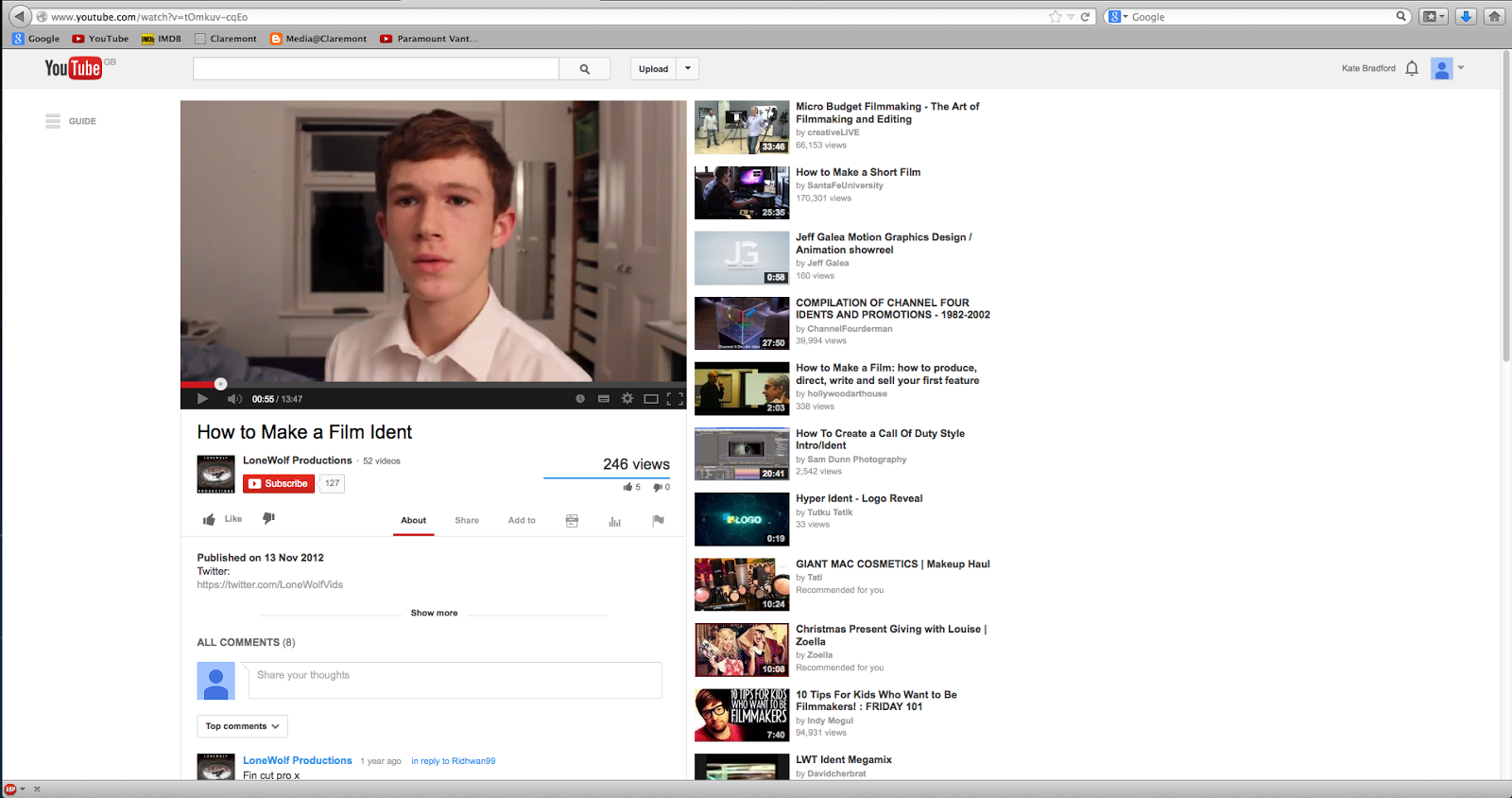 |
| FILM IDENT TUTORIAL 1 |

I used these tutorials above for help or inspiration for our distribution ident. They were both really interesting and provided valuable resources and information about how long our distribution ident would take to make and upload.
I personally thought of the idea behind our distribution ident. My idea is having a pistol shooting red lipstick bullets while 'STUDIO CANAL' (our chosen distributor) shoots out of the far right hand side. My ideas behind this is that:
1. The main woman in our film opening is being targeted - ending being shot by a pistol
2. The main woman wears striking red lipstick - red is associated with death and love
3. The use of pistols makes the film appear to have a 'grunge' feel and 'dangerous' influence - the girl is in danger of death and is being targeted for an apparent reason
4. Having a pistol shooting out red lipstick bullets isn't usual thought of - this makes the idea inivitive and original
5. We decided on Studio Canal as it is a French based-production company (meaning that it isn't a gigantic, American production company that takes on every film possible) and is selective at the films they decide to take on. For example recent Studio Canal films are:
- Tinker Tailor Soldier Spy (2011) - a film that is based in the Cold War (1950s) and is like our own film opening
- The Bling Ring (2013)
- Man Up (2013)

12.02.2014 - CONSTRUCTION: TITLE INSPIRATION
 |
| A pistol |
 |
| A pistol associated with females - use of bright pink and lipstick as a bullet |
 |
| Lipstick Bullets |
 |
| Red Lipstick symbolising death with use of red and gold meaning expensive |
 |
| Our production company we chose |
12.02.2014- CONSTRUCTION: FILMING


In today's lesson as well as the free period I had after lunch I personally worked on unfinished shots. For example I shot close up shots of vintage 1920s newspapers, a French wine bottle as well as a male's black bowler hat and selection of vintage authentic 1950s family photos and portraits. I made sure I used artificial light so the props were visible for the audience, using artificial light would allow significant props such as the authentic newspaper and 1950s family pictures to be easy to see. These props were important behind the plot of our film opening - a girl being targeted 'news' as well as homely, 1950s family photos influencing the fact that the girl is away from home or comfort.
Points I realised I should remember for next filming:
1. Not to pan too quickly when doing panning shots making the audience confused - for example keeping the camera on the tripod rather than hand holding it
2. I need to keep the camera in focus by remembering to check whether the camera is in focus before recording the camera - not doing this would make the audience a bit dizzy
3. I need to use more artificial light when recording as it was too dark in stages of filming not making it clear for the audience to understand or see the footage
4. Make sure I check footage on the camera before uploading it onto the computer - making less time wasted when possibly realising that the footage is out of focus or not visible in areas.
Tuesday, 11 February 2014
11.02.2014 - CONSTRUCTION: CALL SHEET #7
Call
Sheet #7 – Sunday 16th February 2014
Film
Title – Film Noir Short Film
|
||||
Unit Call Time: 10.45
|
Filming
Starts at
|
11.30
|
||
Main Crew Contacts
|
Email
|
|||
Thomas
Stevens
Kate
Bradford
George
Flack
Charlie
Myers
|
01ThomasS@claremont.surrey.sch.uk
01KateB@claremont.surrey.sch.uk
01GeorgeF@claremont.surrey.sch.uk
01CharlieM@claremont.surrey.sch.uk
|
|||
Name
|
Prop/Equipment
|
|||
Kate
Bradford
|
trench
coat, red lipstick, heeled shoes, blouse, leather gloves, powder compact, tan
leather handbag, cream beret, maroon beret
|
|||
George
Flack
|
Camera
from Media, Tripod, suitcase from Media
|
|||
Thomas
Stevens
|
Wrapped
Brown Package with white string, tan leather suitcase, Fedora hat, black
shoes, black trousers, dark trench coat, newspaper and photos (used in
mansion)
|
|||
Location
|
|
Chaucer Avenue
Weybridge
KT13
|
|
Subscribe to:
Posts (Atom)